Already have BepInEx
Quick install
If you already run FM26 mods, you have BepInEx — you only need to drop in two things.
- Install the plugin. Copy HeadHunter2.dll (from the pack's
pluginfolder) into your BepInEx plugins folder:...\Football Manager 26\BepInEx\plugins\HeadHunter2.dll - Install the heads. Copy the whole heads folder into your FM26 game folder:
...\Football Manager 26\heads\ - Play. Load a match with one of the included players — the real head shows automatically. Nothing to press.
Full default paths (a standard Steam install) — click a Copy button above to grab yours:
C:\Program Files (x86)\Steam\steamapps\common\Football Manager 26\Replacing a previous version
Already installed an earlier FMHeads pack? Just overwrite it.
- › Update the heads. Copy this pack's heads folder over the old one and choose Replace / Merge when Windows asks — new heads are added, updated ones refreshed, nothing else touched.
- ›
Leave the plugin alone if it hasn't changed. You don't need to touch
HeadHunter2.dllfor a heads-only update — only replace it when a pack ships a newer version (the release notes will say so). If unsure, overwriting it is harmless.
Don't have BepInEx yet
First-time setup
FM26 is a Unity / IL2CPP game, so it needs BepInEx 6.x (not 5.x). One-time only.
- Download the BepInEx 6 “Unity.IL2CPP-win-x64” build (a .zip).
- Extract its contents into the FM26 game folder — you should end up with a
BepInEx folder sitting next to
FM26.exe. - Launch FM26 once, wait ~30s at the main menu, then quit. This creates the
BepInEx\pluginsfolder. - Now follow the Quick install above.
Find your game folder: in Steam, right-click Football Manager 26 →
Manage → Browse local files. That opens the game root (where
FM26.exe lives).
If your library is on another drive, it'll be there instead.When it's done it should look like this
Football Manager 26\
├─ FM26.exe
├─ BepInEx\
│  └─ plugins\
│     └─ HeadHunter2.dll
└─ heads\
   ├─ <UID>.skin  (+ .png, _hair.*, _eye.* …)
   └─ _players.json
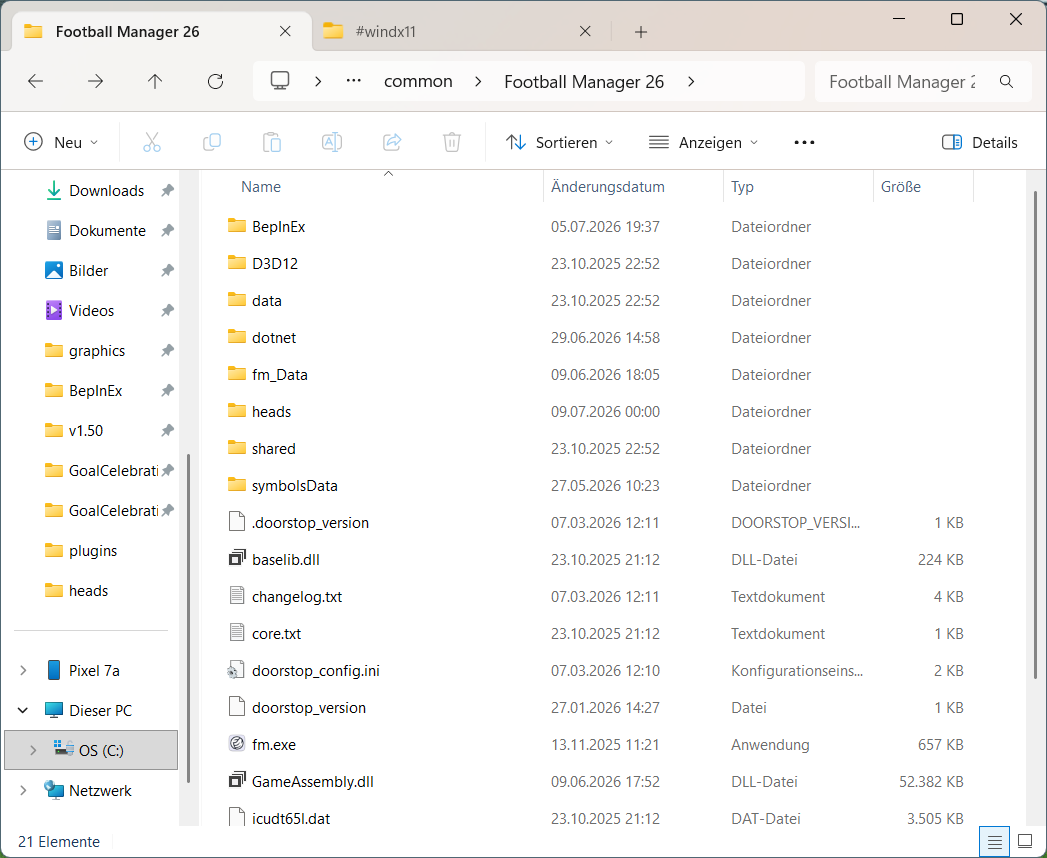
fm.exe.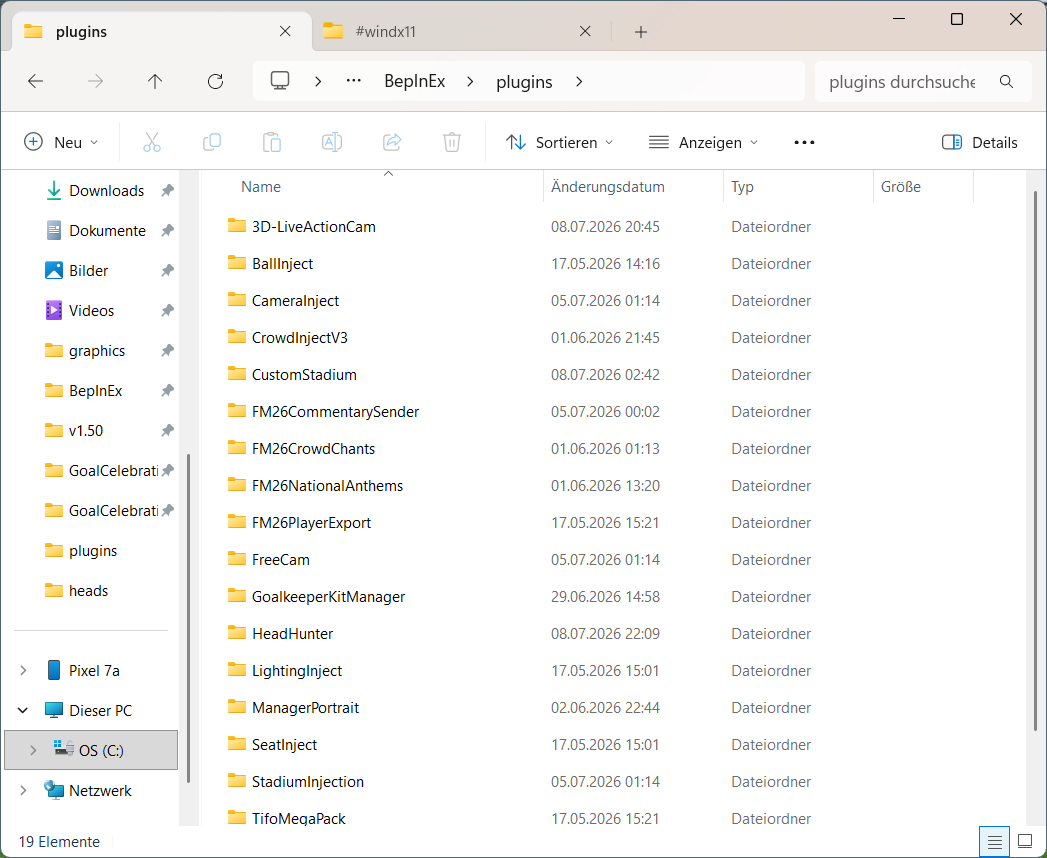
(Screenshots from a real FM26 install — folder labels shown in German Windows.)
Troubleshooting
No heads show up at all
BepInEx isn't loading. After launching, look for BepInEx\LogOutput.log in the game folder.
If it's missing, you have the wrong BepInEx (must be 6.x IL2CPP win-x64) or it was extracted to the wrong place.
A head is missing or shows plain white
The head's UID must match that player in your save / database. If the player isn't in your save, there's nothing to attach the head to.
The plugin doesn't seem to load
Make sure HeadHunter2.dll is inside BepInEx\plugins\ (either directly, or in its own
HeadHunter sub-folder — BepInEx 6 scans both). Double-check you're using BepInEx 6.x IL2CPP, not 5.x.
I added or updated heads but don't see the change
Heads are loaded when a match starts. Start a new match — or restart the current one — to pick up any head files you added or updated.